


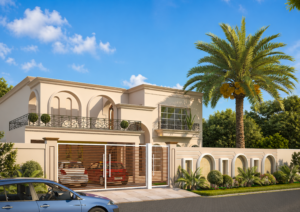
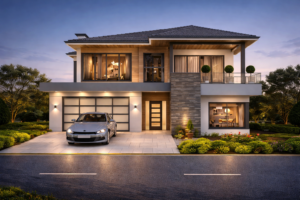
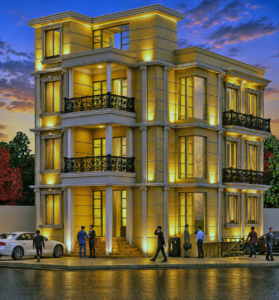
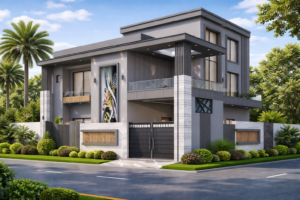
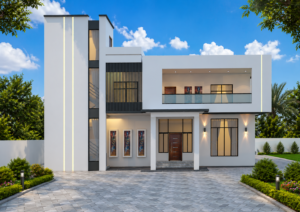
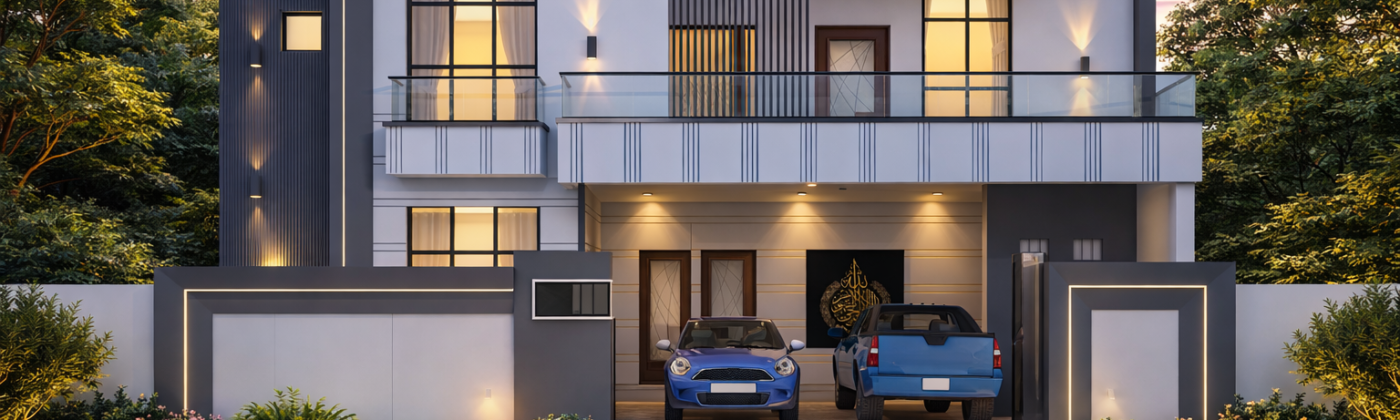
You have probably seen images of beautiful homes and buildings shared on social media or in real estate brochures and wondered — is this a photograph or a drawing? Quite often, it is neither. It is a 3D architectural render — a computer-generated image so realistic it is almost impossible to distinguish from the real thing. If you are a homeowner in Pakistan planning to build, renovate, or simply want to understand what your future home will look like, this guide is for you. Studio3 (studio3.pk) breaks it all down in plain, simple terms.
The Simple Definition: What Is 3D Architectural Rendering?
3D architectural rendering is the process of creating a realistic digital image of a building or space using computer software. Think of it as a very detailed, very accurate digital painting — except instead of an artist using a brush, a specialist uses 3D software to build a virtual model of your home and then generate a photograph-like image of it.
The word “rendering” simply means producing the final image from that 3D model. The model itself contains all the details: the shape of the building, the materials on the walls and floors, the furniture inside, the trees in the garden, and the way sunlight hits the facade at a particular time of day. When all of those elements are combined and processed by the software, the output is a render — an image that shows your home exactly as it will look once built.
A Quick Analogy
Imagine you are describing your dream home to someone over the phone. No matter how carefully you explain it, the other person forms their own mental picture — which may be very different from yours. Now imagine you could send that person a photograph of your dream home. No misunderstandings, no guesswork. That is exactly what a 3D render does — it replaces the description with the picture.
How Does 3D Rendering Actually Work?
You do not need to understand the technical details to benefit from 3D rendering — but a basic overview helps you appreciate what goes into a quality render and why it looks so realistic.
Step 1 — Building the 3D Model
A 3D artist starts by building a digital model of your home or space. This is based on architectural drawings, floor plans, or CAD files provided by your architect or designer. Every wall, window, door, ceiling height, and structural element is modelled to precise dimensions. At Studio3, this stage is handled with great care because the accuracy of the model directly affects the accuracy of the final render.
Step 2 — Applying Materials and Textures
Once the model is built, materials are applied to every surface. Brick, plaster, marble, timber, glass, concrete — each material has its own visual properties in the software. The system simulates how light reflects off marble differently from how it absorbs into rough plaster, or how glass refracts light. Your chosen finishes — the specific tile you selected, the exact paint colour — can all be matched in the render.
Step 3 — Setting Up Lighting
Lighting is what transforms a good render into a great one. The software simulates real-world light behaviour — sunlight angle based on the building’s orientation and the time of day, shadow casting, artificial interior lighting, ambient sky light, and bounce light between surfaces. Studio3’s lighting setup is one of the key reasons our renders are consistently described as photorealistic rather than “computer-generated looking”.
Step 4 — Rendering and Post-Production
The final stage is the actual rendering process — the software processes all of the model, material, and lighting data and produces the image. This can take anything from minutes to hours, depending on the scene complexity. The image then goes through light post-production adjustments (contrast, colour grading) before being delivered as your final render.
3D Rendering vs Traditional Architectural Drawings — What’s the Difference?
Pakistani homeowners working with architects are familiar with floor plans, elevations, and section drawings. These are essential technical documents — but they are not easy for non-architects to interpret. Here is how 3D rendering compares:
| Aspect | Traditional 2D Drawing | 3D Architectural Rendering |
| Audience | Architects & engineers | Everyone — no training needed |
| Realism | Schematic / symbolic | Photorealistic |
| Shows materials | No | Yes — exactly as specified |
| Shows lighting | No | Yes — natural & artificial |
| Client decisions | Requires imagination | Instant visual clarity |
| Revisions | Redrawn manually | Updated in the 3D model |
For homeowners, the difference is enormous. Studio3 regularly works with clients who saw their architect’s drawings, felt uncertain, and came to us for a render — after which everything became immediately clear. That clarity saves time, money, and a great deal of renovation stress.
What Types of 3D Renders Are Available?
Not all renders are the same. Different project needs call for different types of visualization:
Exterior Renders
An exterior render shows the outside of a building — the facade, landscaping, surrounding environment, and street context. These are the renders most commonly used in real estate marketing and developer presentations.
Interior Renders
Interior renders show individual rooms or spaces — living rooms, kitchens, bedrooms, bathrooms — with furniture, materials, and lighting fully visualized. Studio3’s interior renders are widely used by homeowners before renovation and by interior designers presenting proposals to clients.
Aerial / Bird’s-Eye Renders
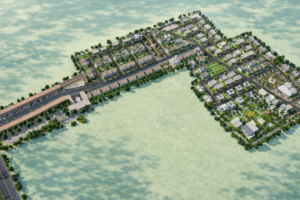
These show a building or development from above — useful for housing schemes, master plans, and large commercial projects where site layout and context matter.
3D Walkthroughs
A walkthrough is an animated video that moves through a building — inside and out — giving the viewer the experience of actually moving through the space. Studio3 produces smooth, cinematic walkthroughs for both residential and commercial projects.
When Should a Pakistani Homeowner Consider 3D Rendering?
3D rendering is not just for large developers. It is highly practical and increasingly affordable for individual homeowners. Consider getting a render when:
- You are building a new home and want to see how it will look before construction starts.
- You are planning a major renovation and want to test material and colour combinations before committing.
- You are working with an architect or interior designer and want to fully understand their proposals.
- You are making significant investments in finishes — flooring, kitchen, bathrooms — and want certainty before purchasing.
- You want to show family members or joint decision-makers exactly what the finished home will look like.
- You are selling a property and want marketing visuals that stand out.
Studio3 has worked with homeowners across Pakistan — from single-room renovation renders to complete villa visualizations — and the feedback is almost always the same: “I wish I had done this sooner.”
Common Questions Pakistani Homeowners Ask About 3D Rendering
Is 3D rendering only for large or expensive projects?
Not at all. Studio3 offers rendering services for projects of all sizes — from a single room interior to a complete residential compound. The investment in a render is almost always smaller than the cost of a single renovation mistake.
How long does it take to get a render?
A standard exterior or interior render from Studio3 typically takes 3 to 5 business days. More complex scenes or full walkthrough animations take longer, and we confirm all timelines clearly before starting work.
Do I need to provide technical drawings?
Ideally, yes — floor plans and elevations give us the most accurate starting point. However, if you only have rough sketches or dimensions, Studio3 can still work with you. We ask detailed questions at the briefing stage to make sure the model we build reflects your actual project.
Can I make changes after seeing the render?
Yes. Studio3 includes a revision round with every project. If you want to see a different paint colour, swap flooring material, or adjust furniture placement, we update the 3D model and re-render the relevant views.
Ready to See Your Home Before It’s Built?